UI/UX & Interaction Systems
Project Management App
Structuring complexity in digital workflows for optimisation
Workflow interface system
for
Self
Timeline
0-1 week
Category
Search & Filter UX, UX Design, Product Design, Enterprise Interface, Interaction Design
Brief
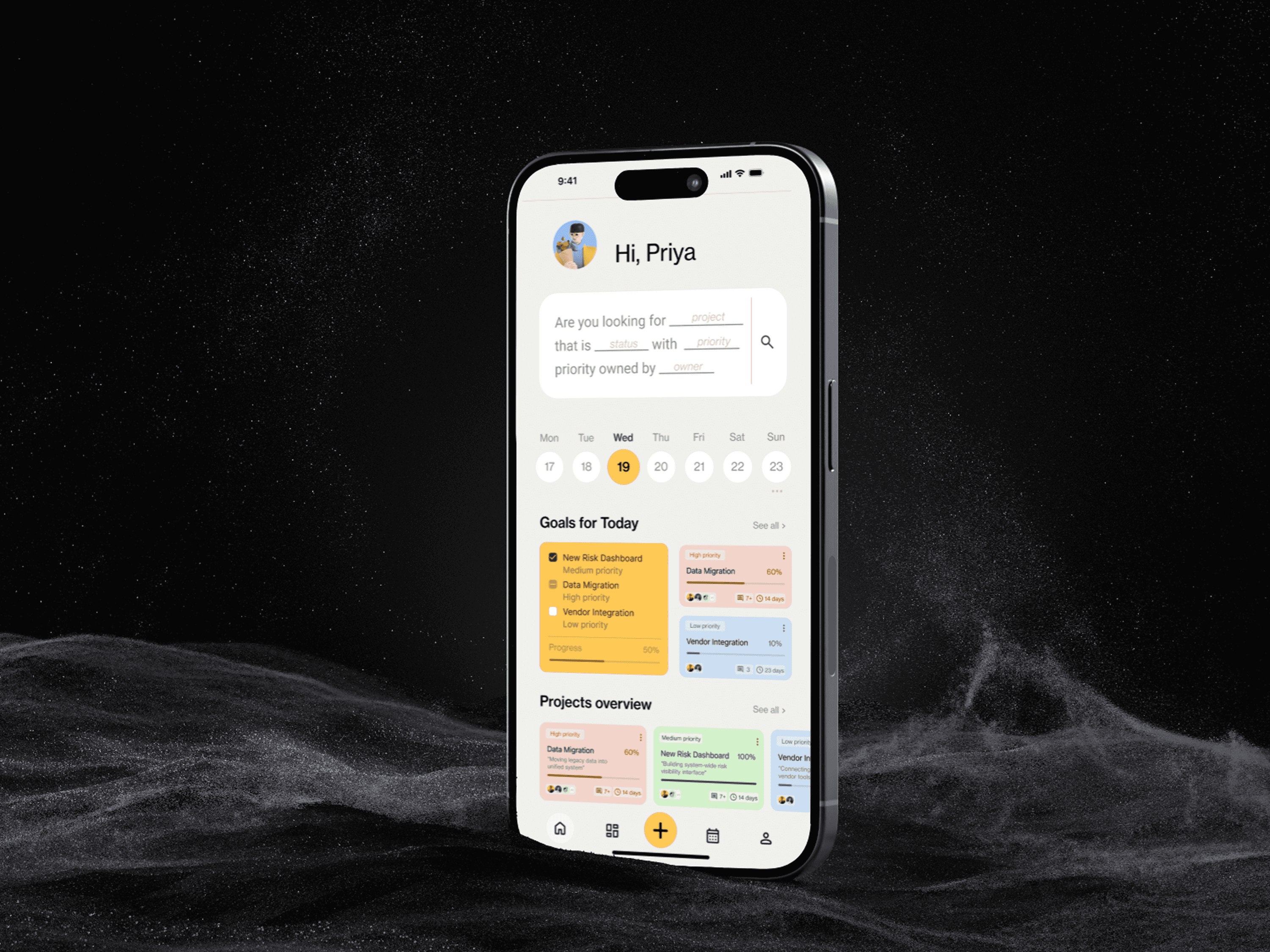
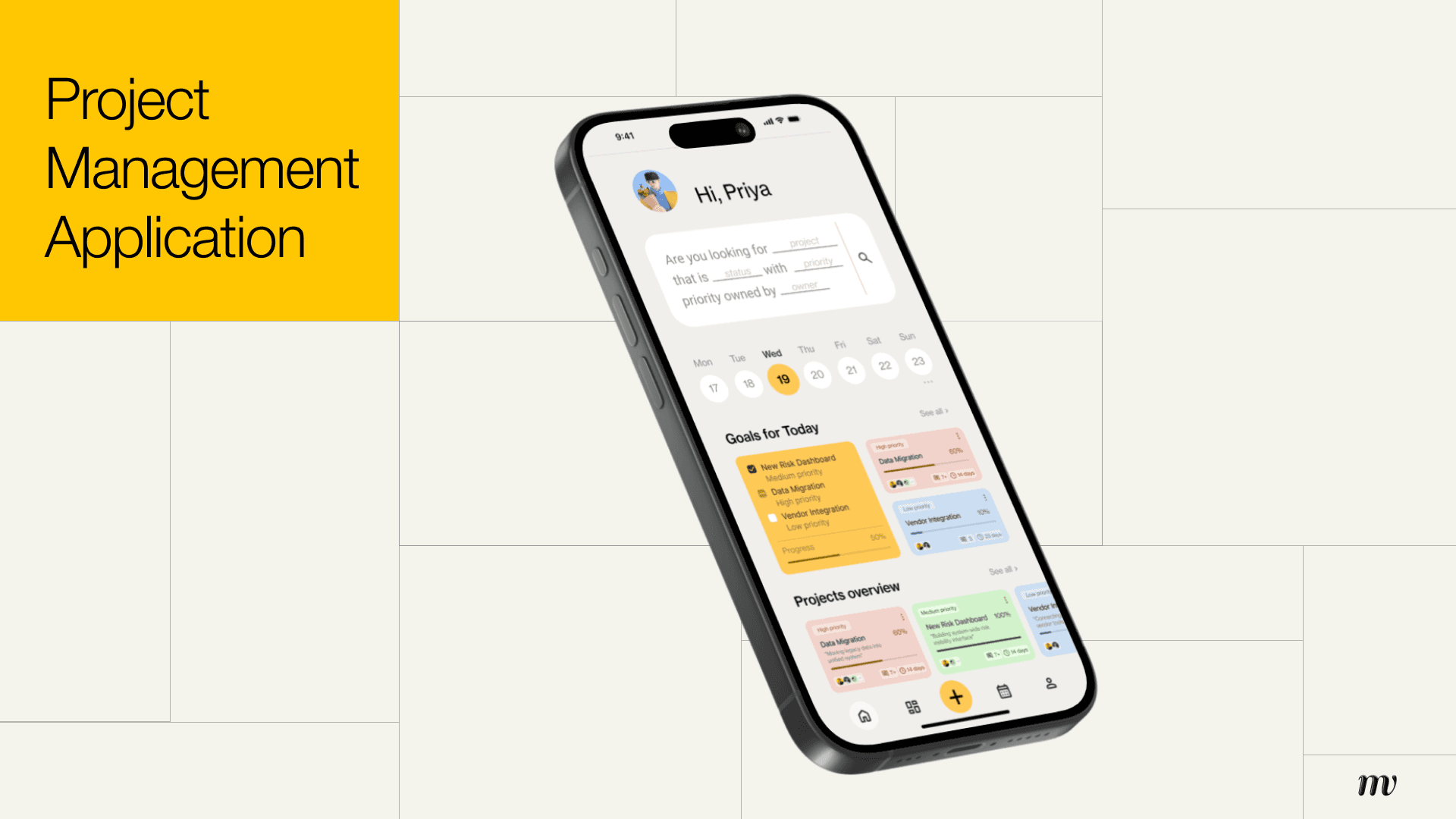
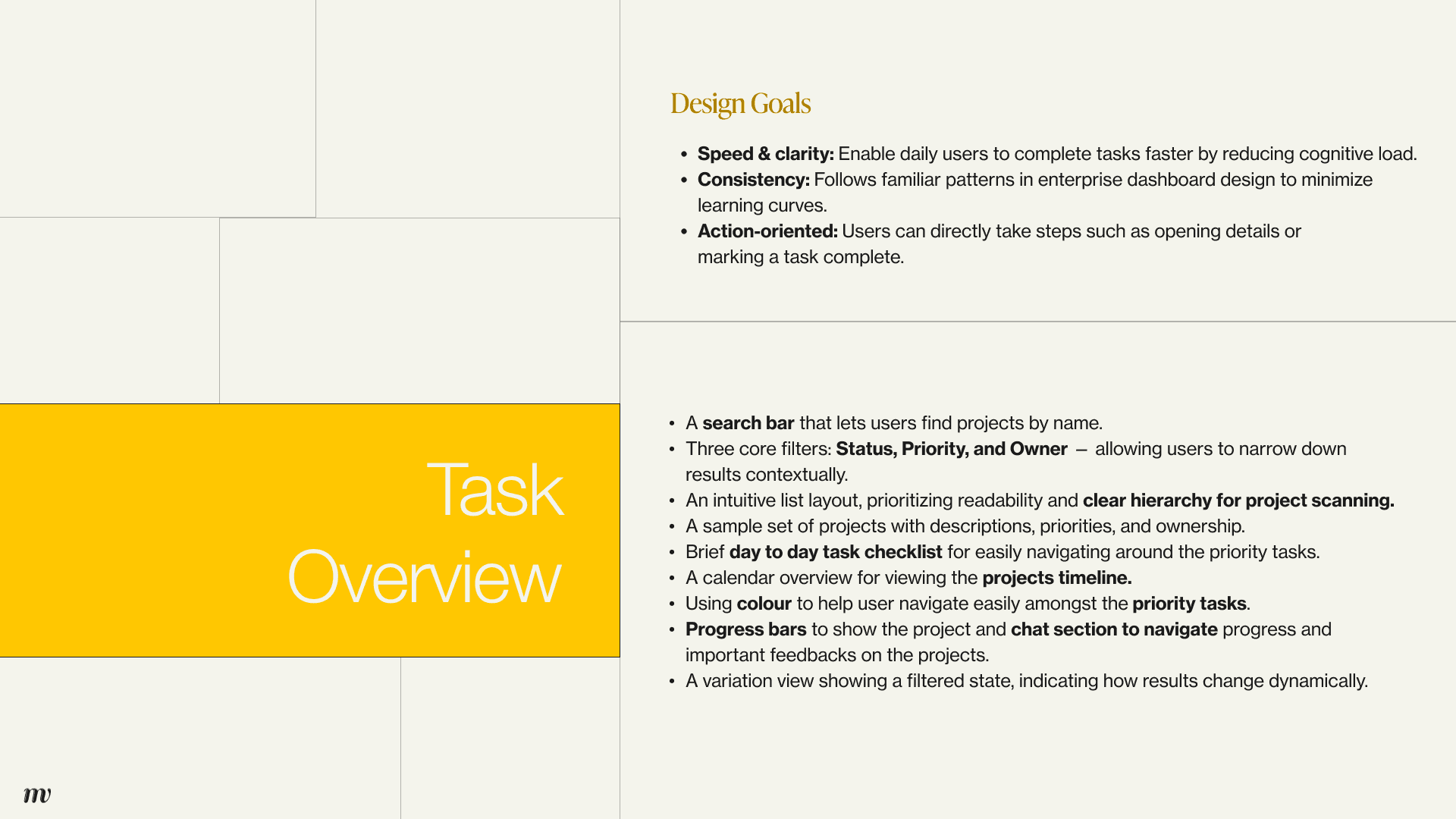
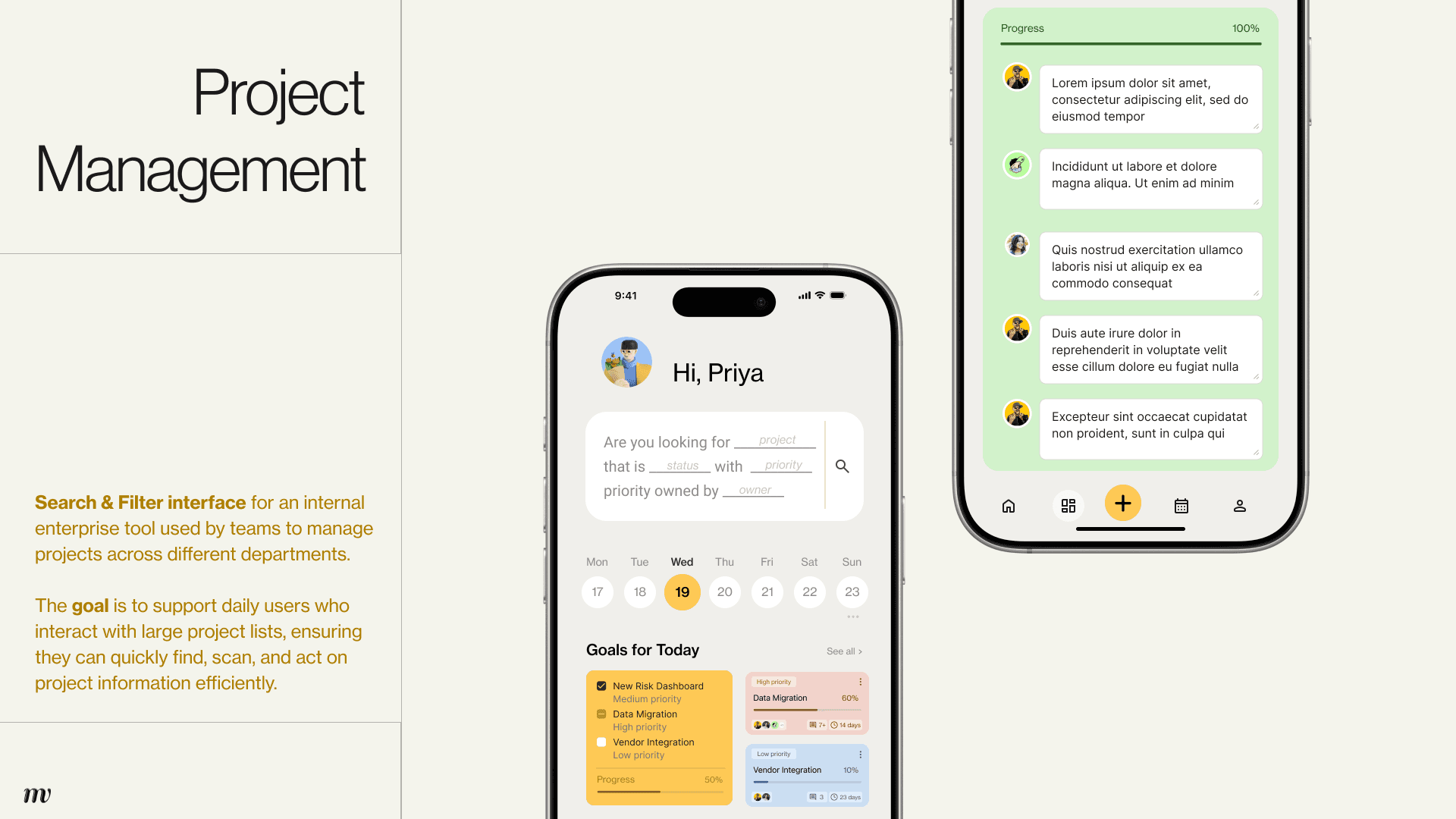
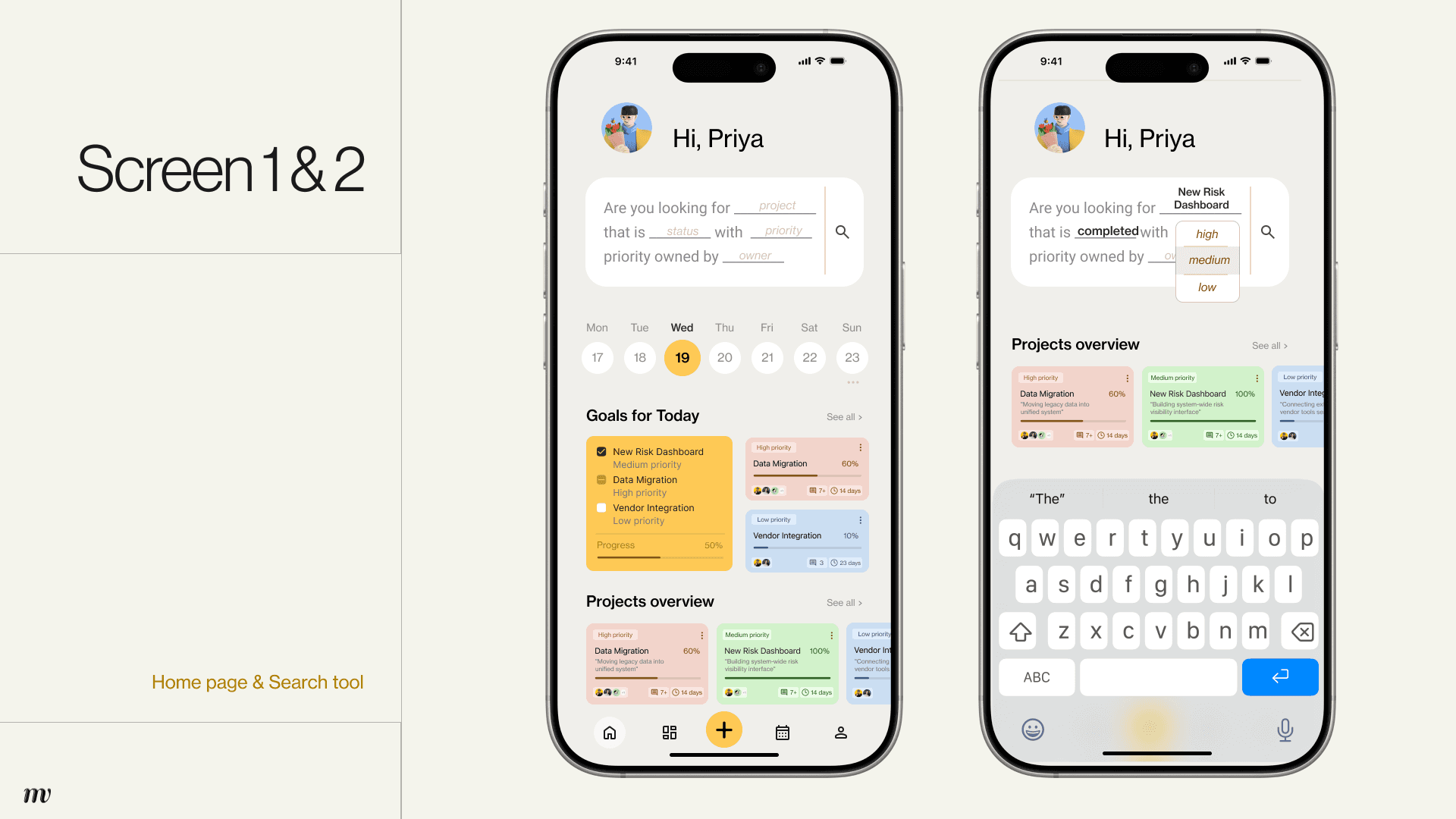
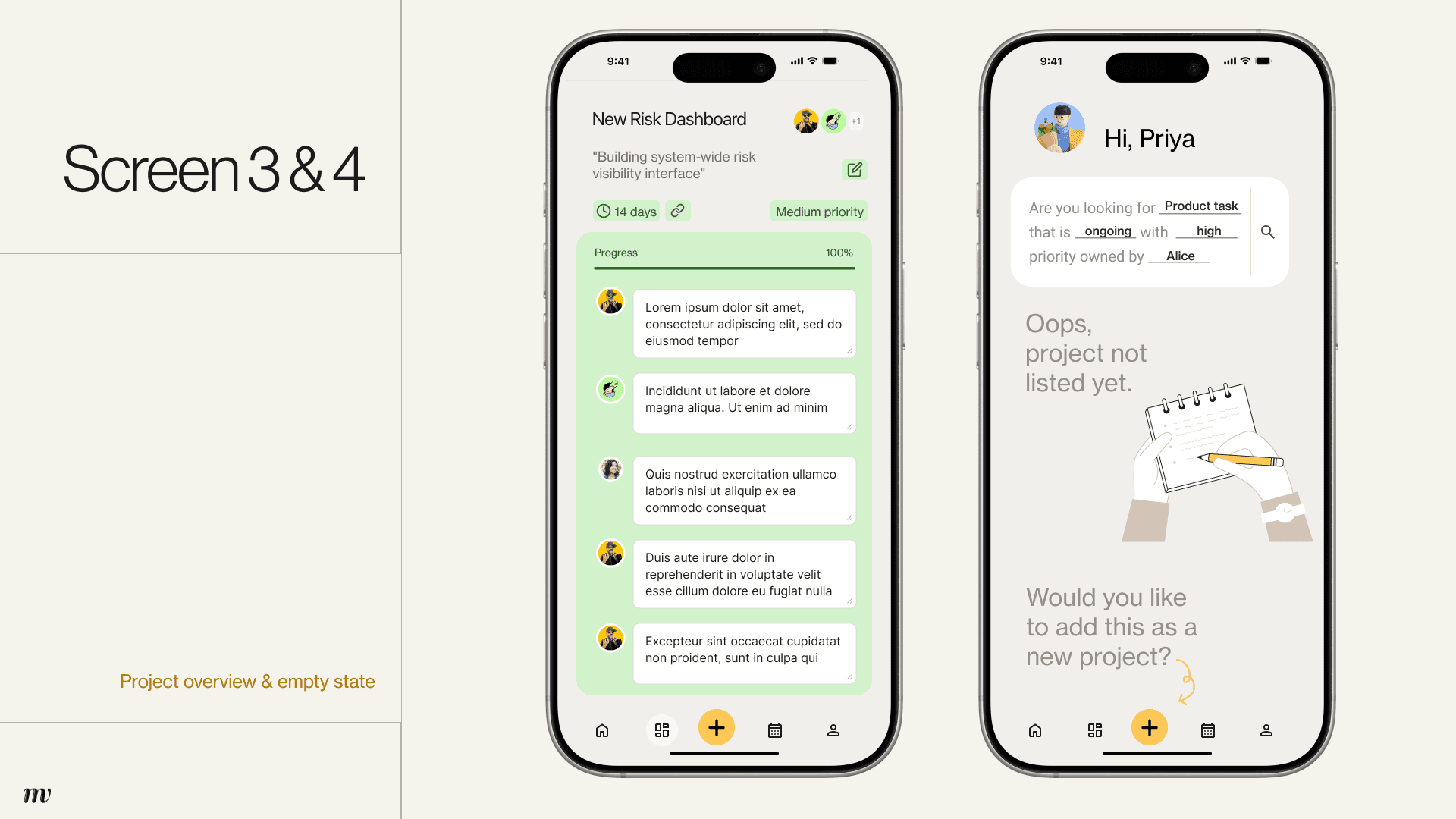
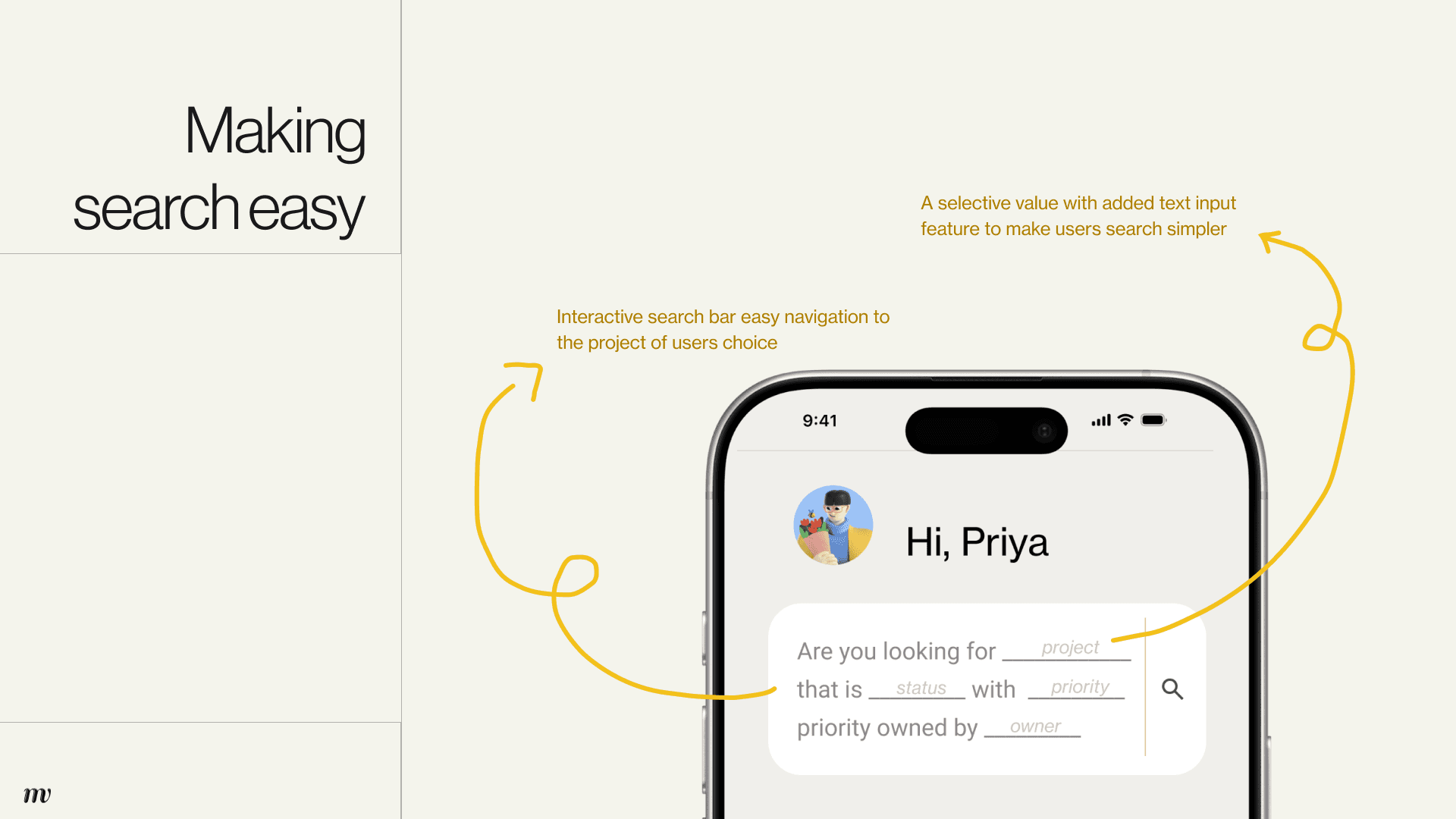
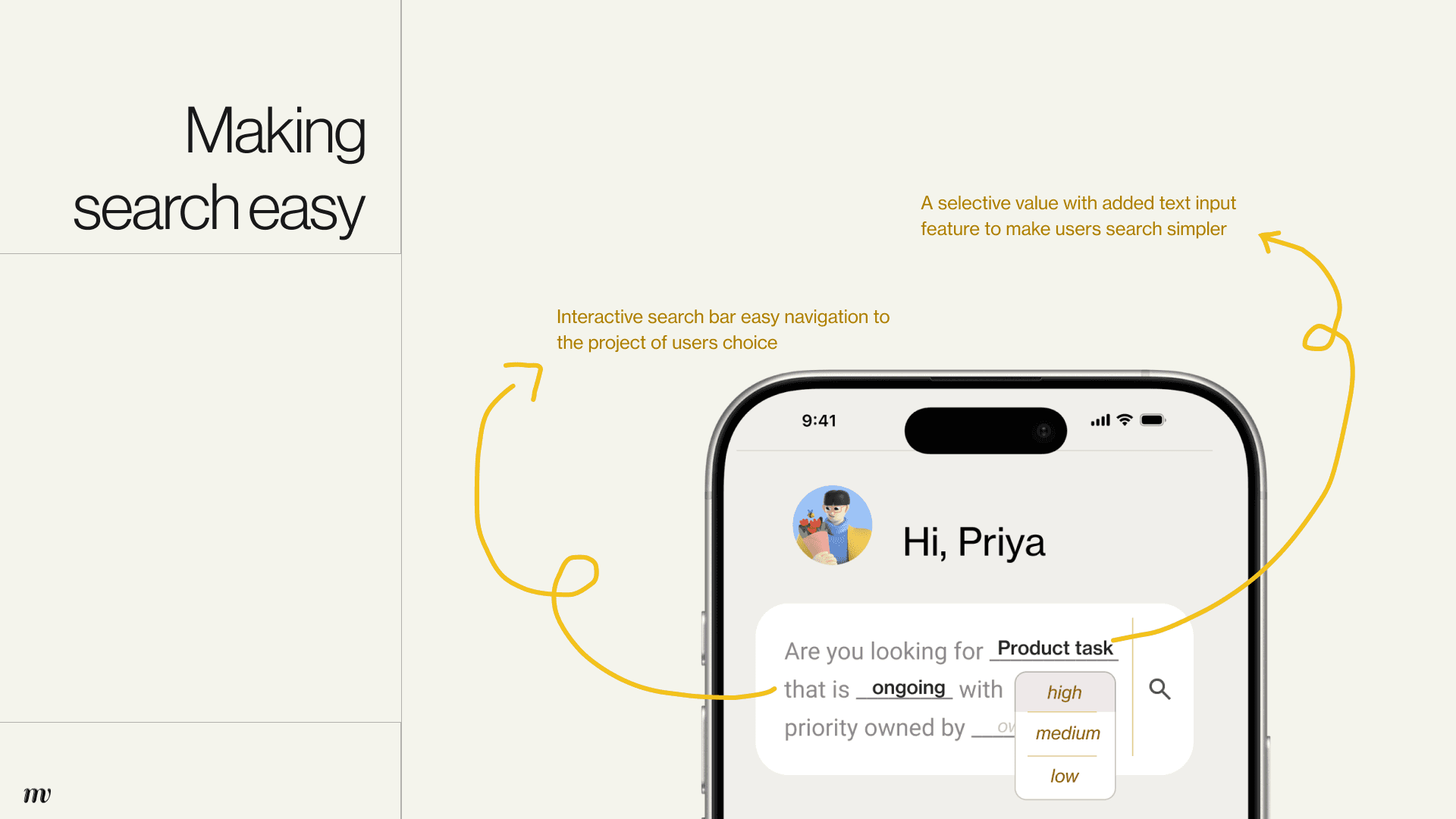
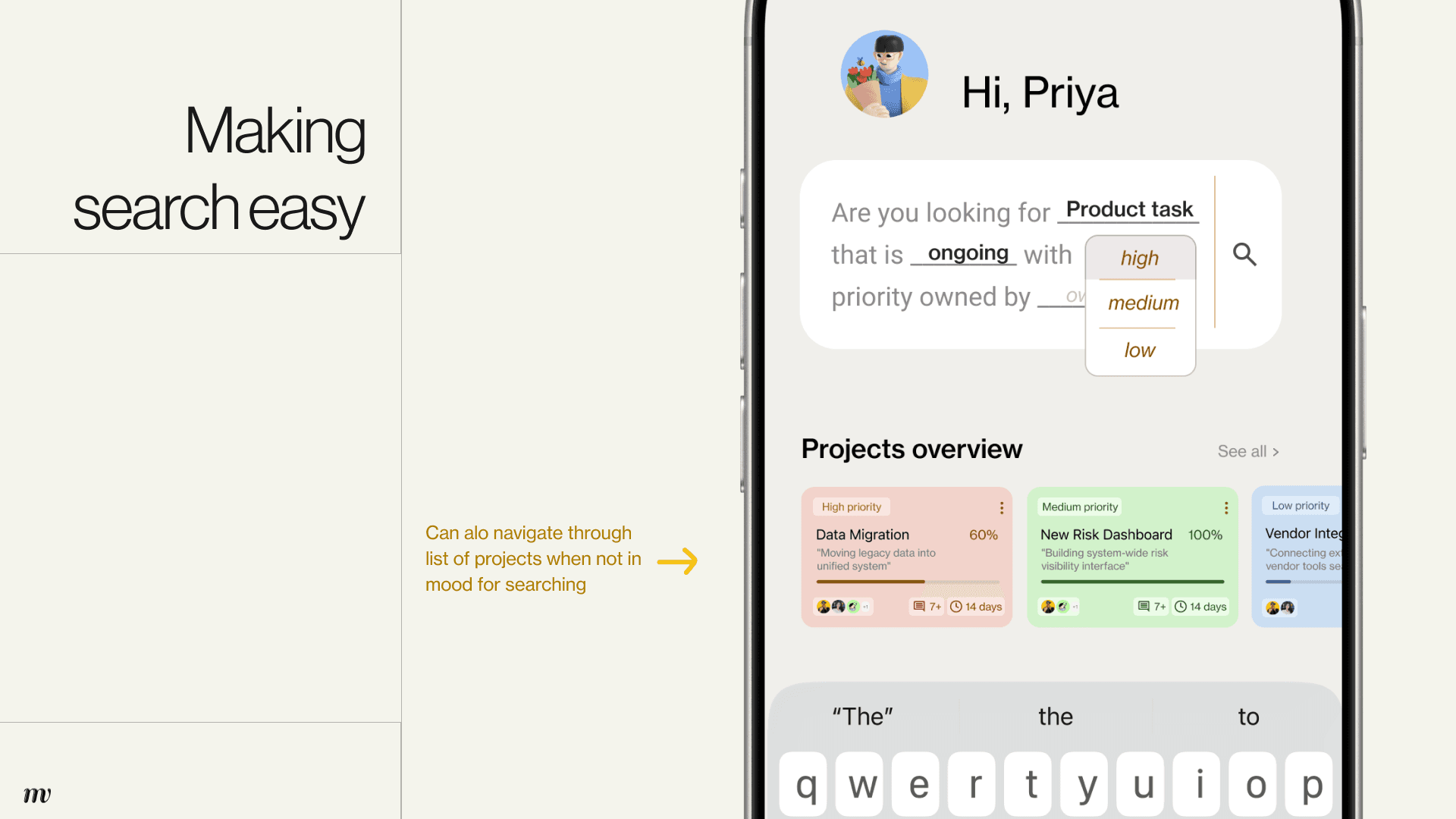
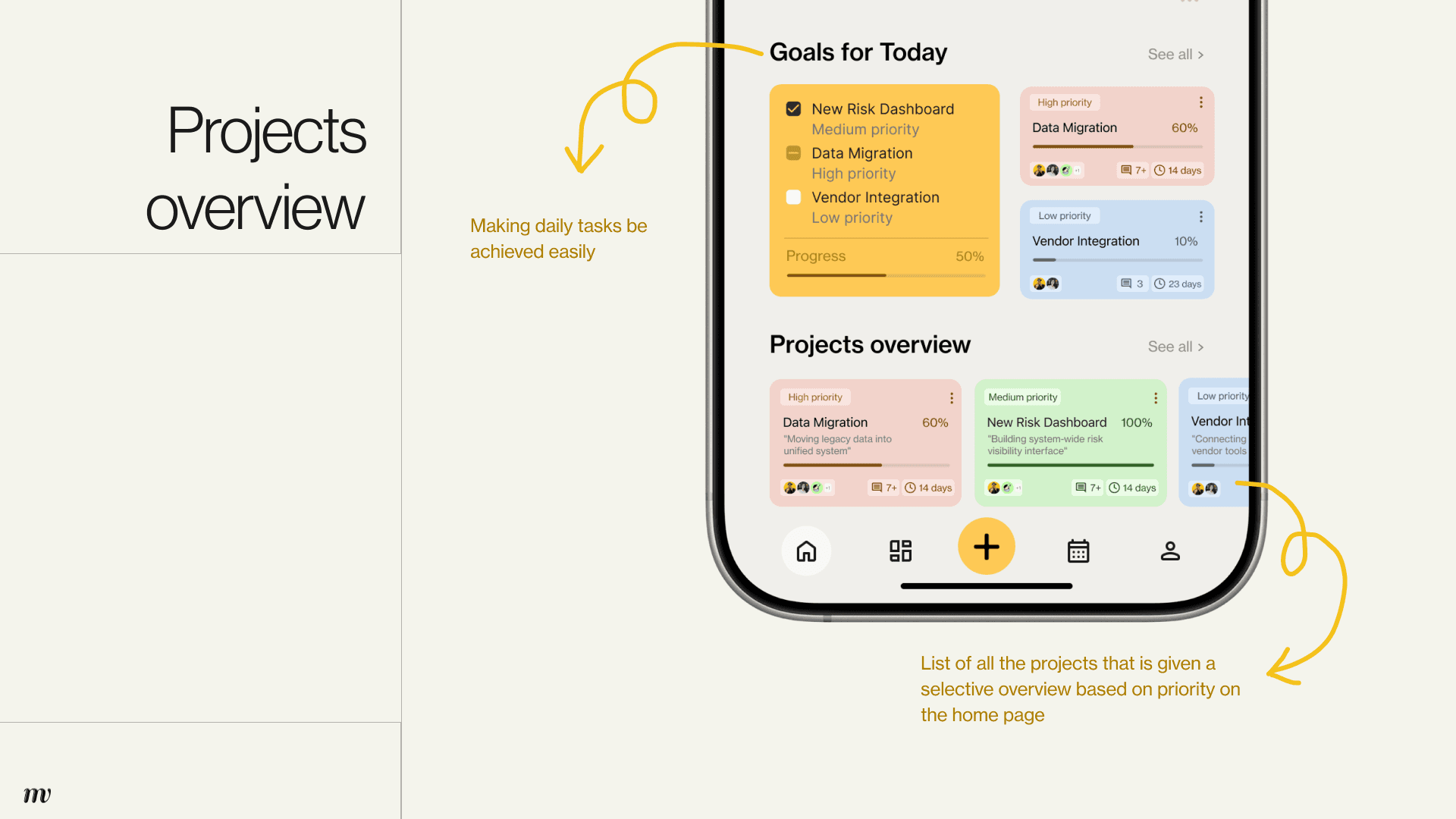
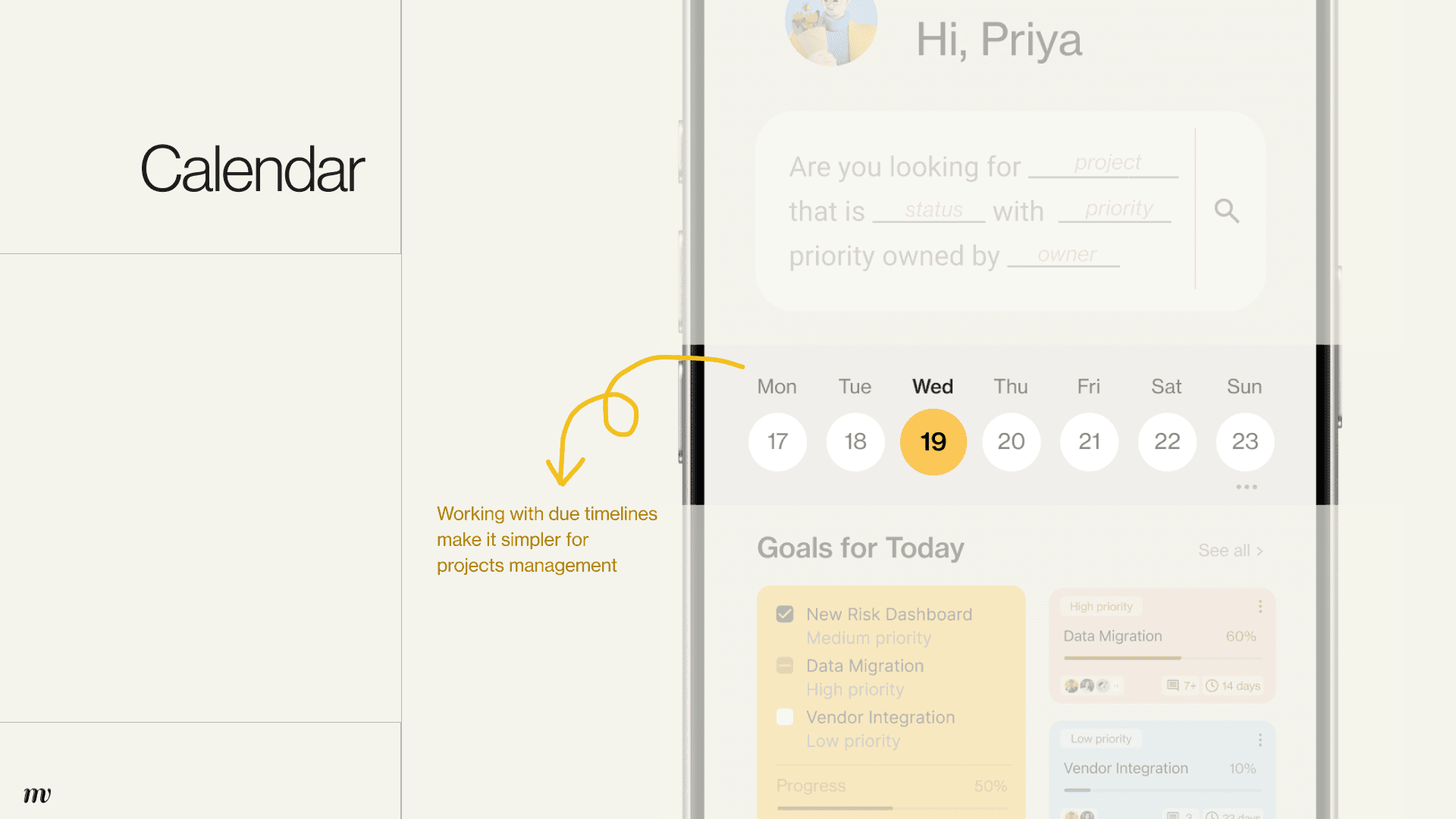
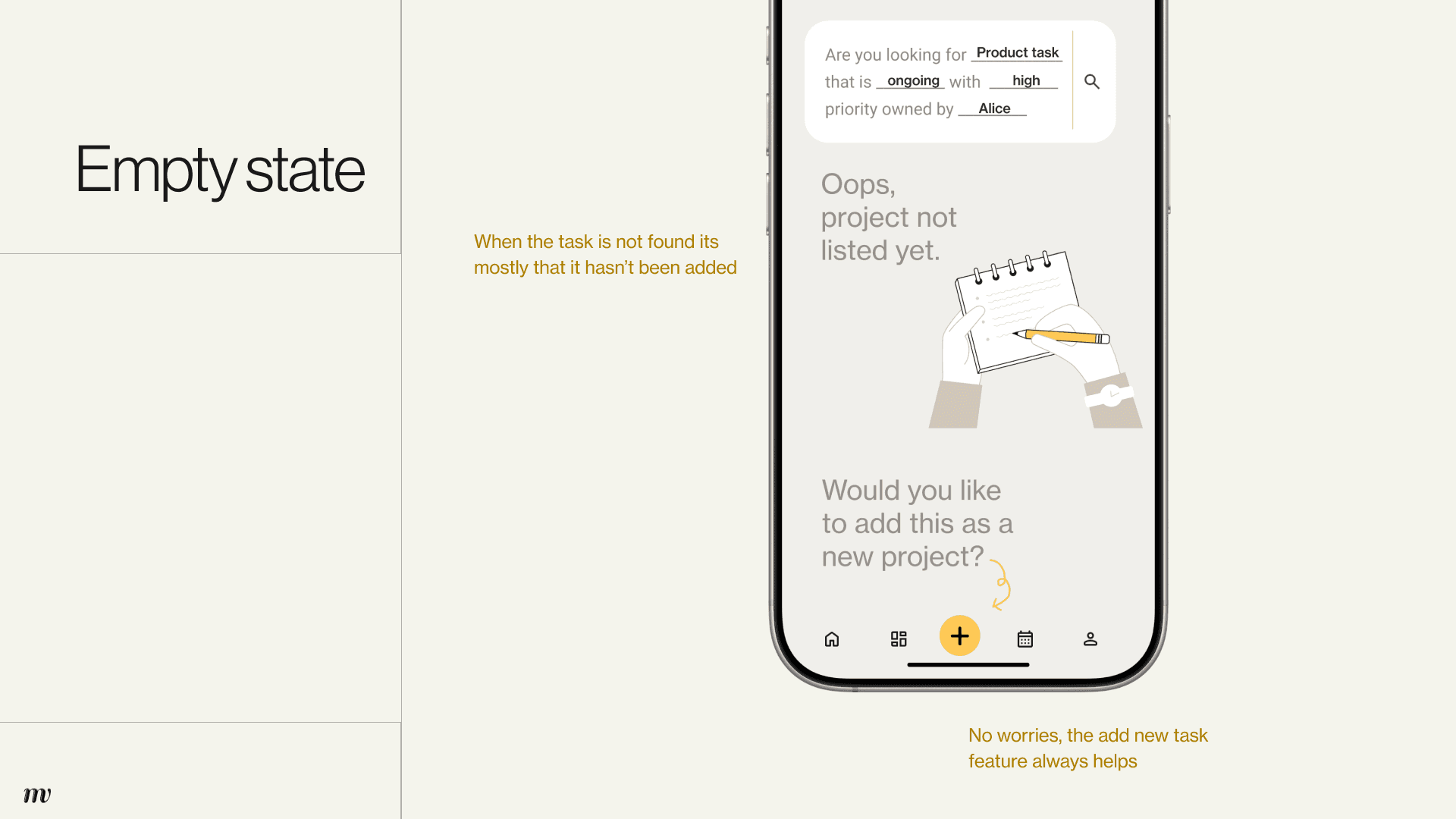
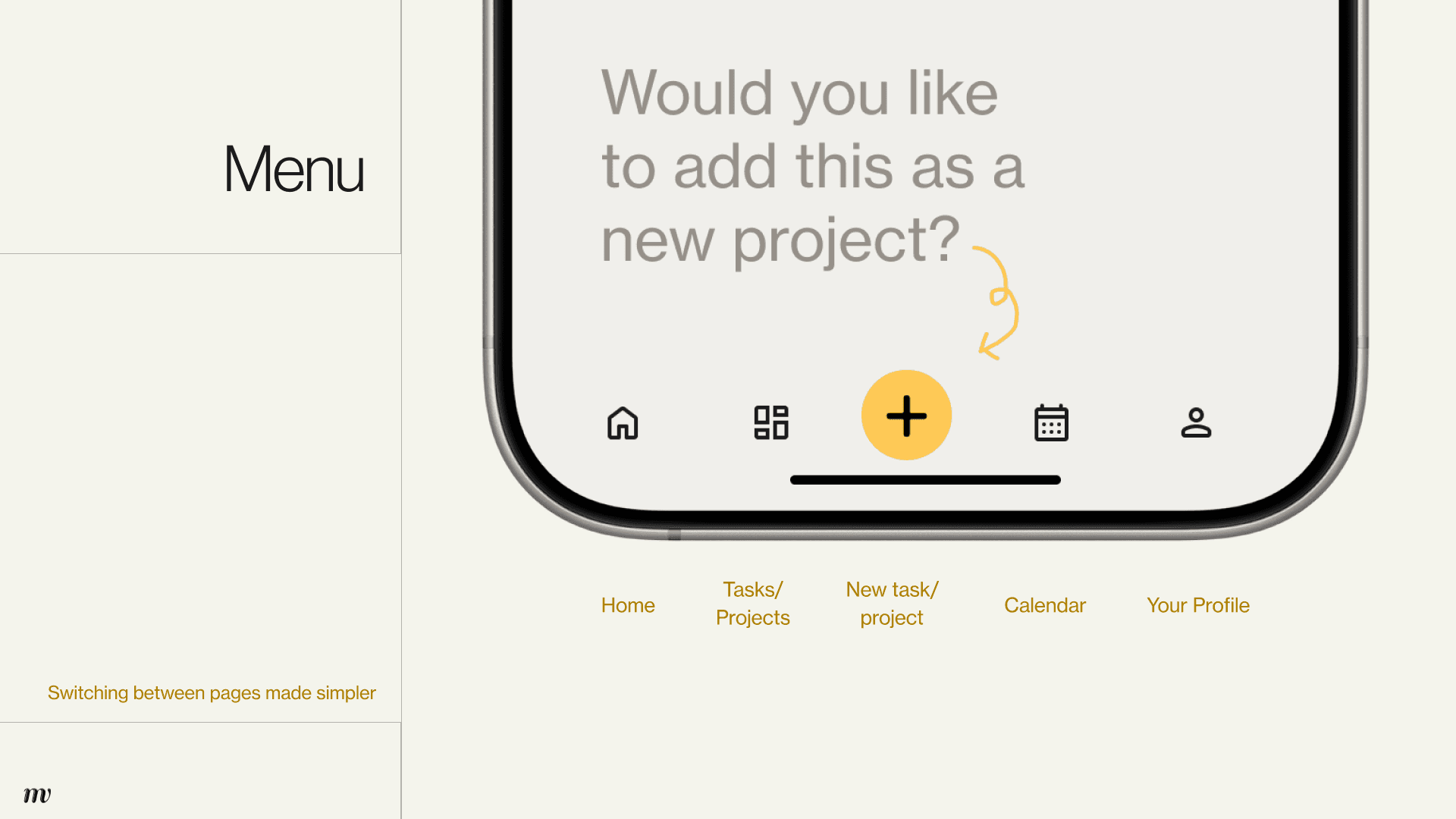
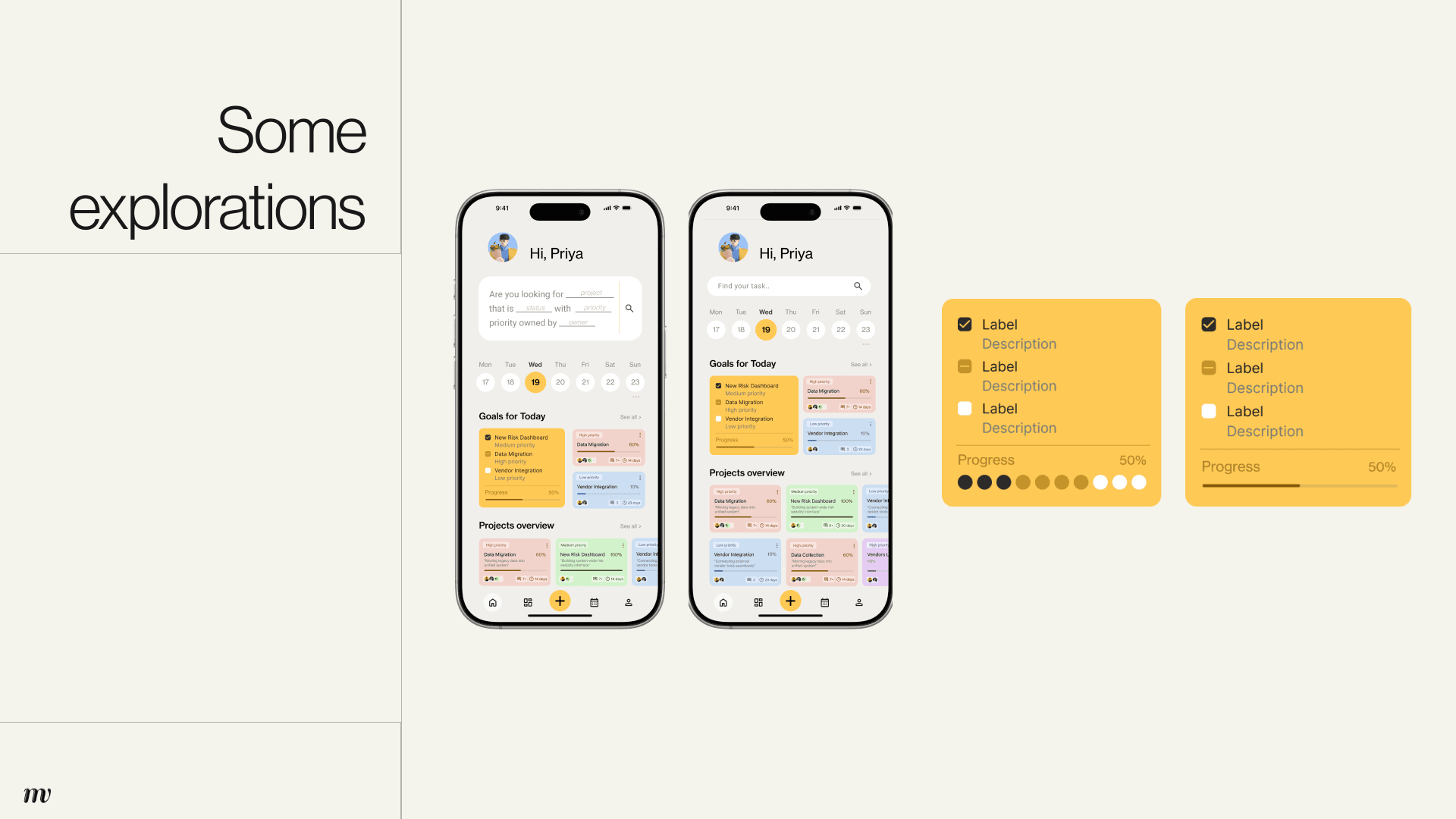
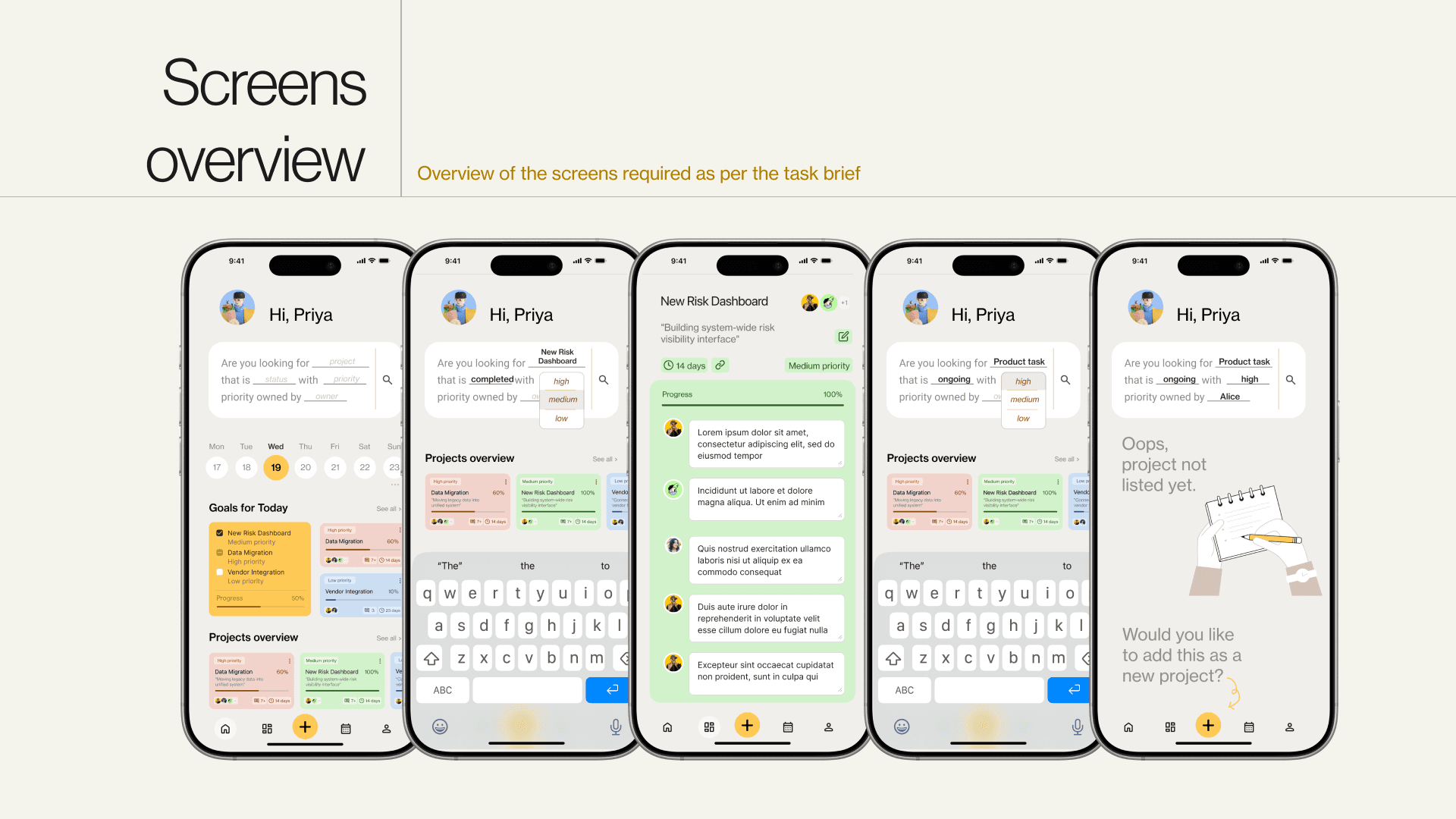
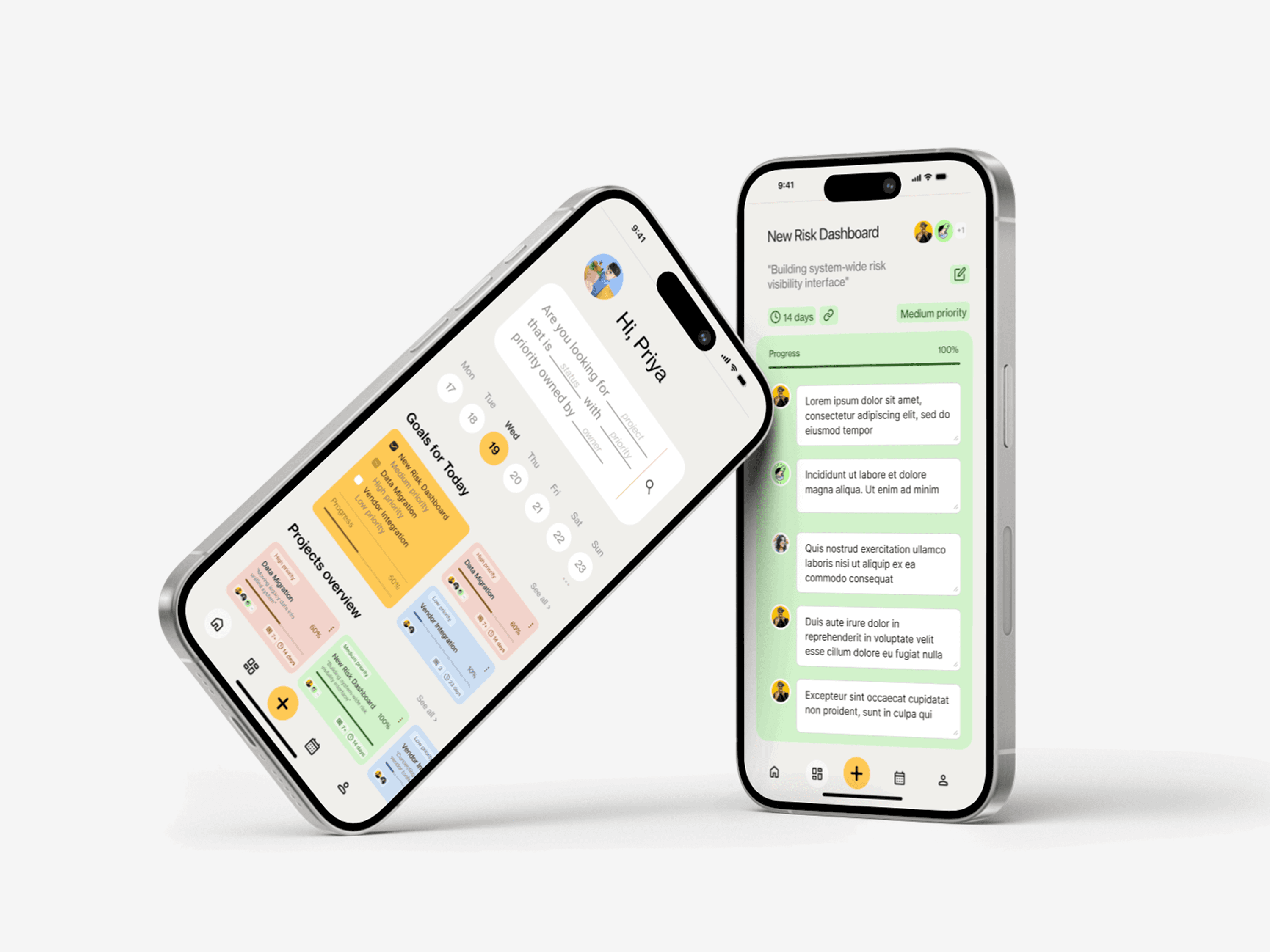
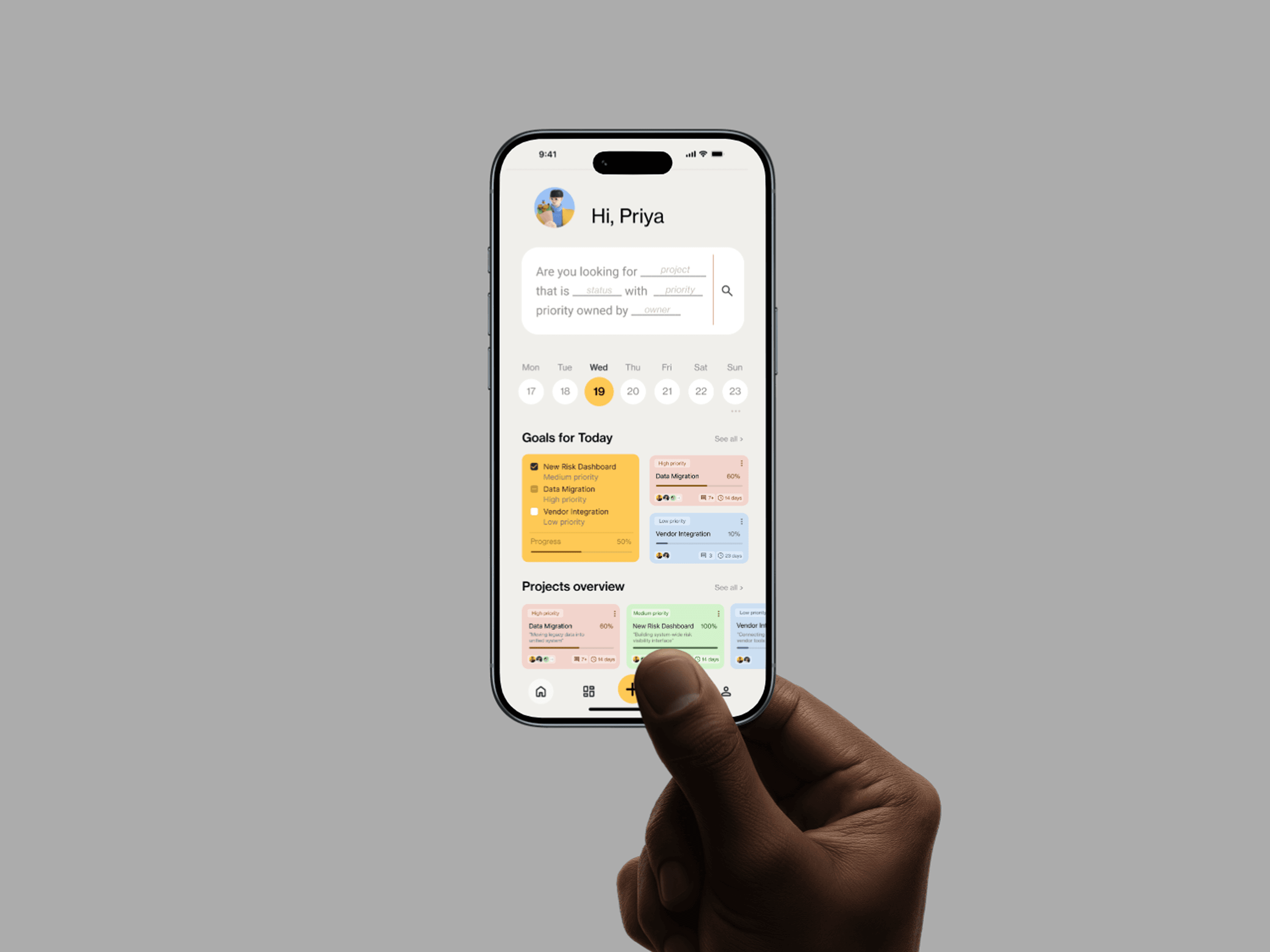
A project management interface designed to simplify how users search, filter, and act on large sets of project data—focusing on clarity, speed, and actionable workflows within an enterprise context.
UI/UX & Interaction Systems
Project Management App
Structuring complexity in digital workflows for optimisation
Workflow interface system
for
Self
Timeline
0-1 week
Category
Search & Filter UX, UX Design, Product Design, Enterprise Interface, Interaction Design
Brief
A project management interface designed to simplify how users search, filter, and act on large sets of project data—focusing on clarity, speed, and actionable workflows within an enterprise context.
UI/UX & Interaction Systems
Project Management App
Structuring complexity in digital workflows for optimisation
Workflow interface system
for
Self
Timeline
0-1 week
Category
Search & Filter UX, UX Design, Product Design, Enterprise Interface, Interaction Design
Brief
A project management interface designed to simplify how users search, filter, and act on large sets of project data—focusing on clarity, speed, and actionable workflows within an enterprise context.
UI/UX & Interaction Systems
Project Management App
Structuring complexity in digital workflows for optimisation
Workflow interface system
for
Self
Timeline
0-1 week
Category
Search & Filter UX, UX Design, Product Design, Enterprise Interface, Interaction Design
Brief
A project management interface designed to simplify how users search, filter, and act on large sets of project data—focusing on clarity, speed, and actionable workflows within an enterprise context.
Overview
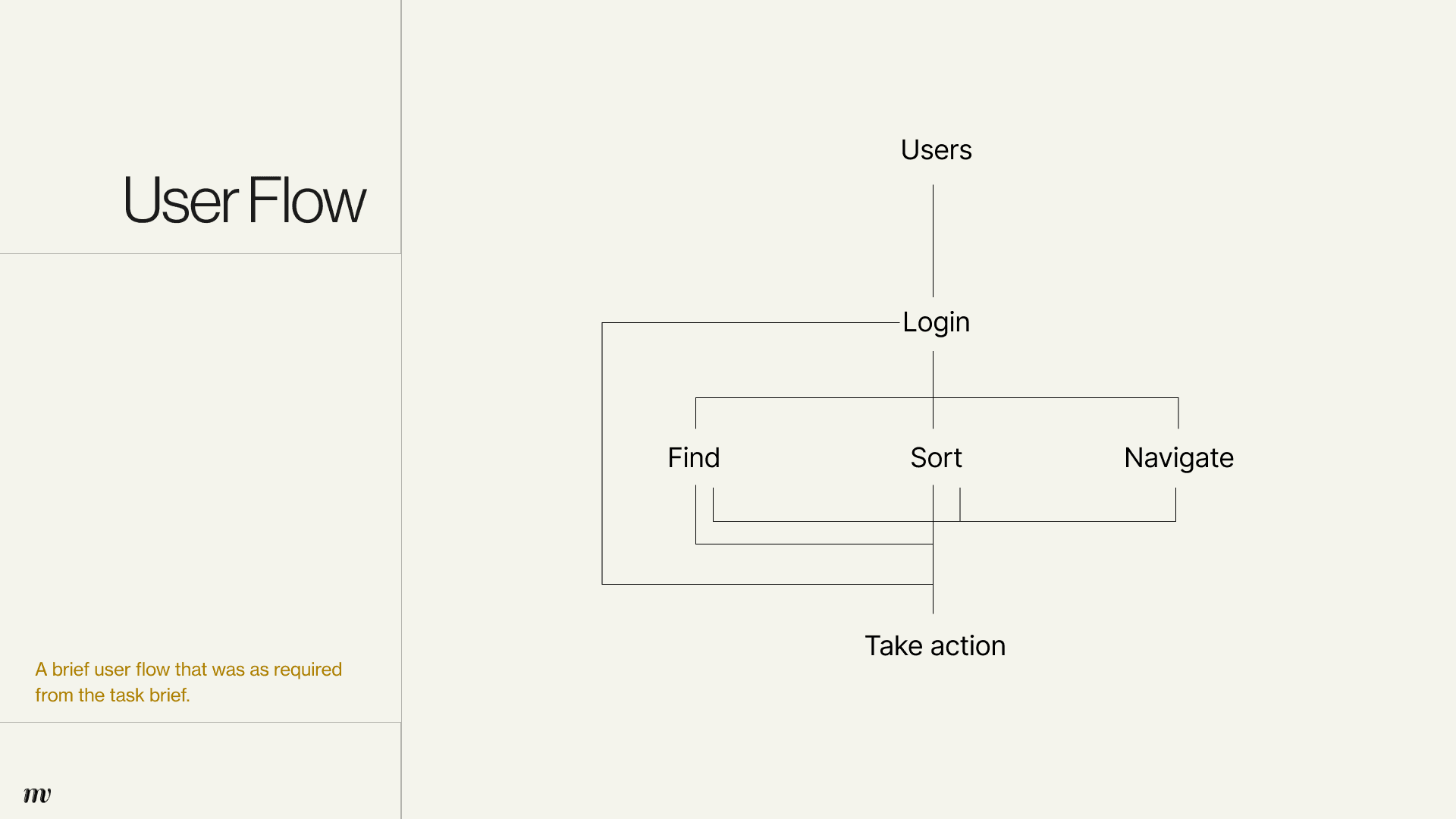
Enterprise tools fail their users quietly. The project list grows, the filters multiply, and the daily user — who just needs to find one thing, act on it, and move on — spends more time navigating than doing. The cognitive load accumulates invisibly until the tool itself becomes the obstacle. This project was a UX design exercise focused on a single, high-frequency interaction: how a daily user finds, scans, and acts on project information within an internal enterprise dashboard. The challenge was to make that interaction feel effortless — not by simplifying the complexity, but by designing around it.
Overview
Enterprise tools fail their users quietly. The project list grows, the filters multiply, and the daily user — who just needs to find one thing, act on it, and move on — spends more time navigating than doing. The cognitive load accumulates invisibly until the tool itself becomes the obstacle. This project was a UX design exercise focused on a single, high-frequency interaction: how a daily user finds, scans, and acts on project information within an internal enterprise dashboard. The challenge was to make that interaction feel effortless — not by simplifying the complexity, but by designing around it.
Overview
Enterprise tools fail their users quietly. The project list grows, the filters multiply, and the daily user — who just needs to find one thing, act on it, and move on — spends more time navigating than doing. The cognitive load accumulates invisibly until the tool itself becomes the obstacle. This project was a UX design exercise focused on a single, high-frequency interaction: how a daily user finds, scans, and acts on project information within an internal enterprise dashboard. The challenge was to make that interaction feel effortless — not by simplifying the complexity, but by designing around it.
Tools
Figma, Adobe Photoshop
Tools
Figma, Adobe Photoshop
Role
Designer
Team
-
Tools
Figma, Adobe Photoshop
Tools
Figma, Adobe Photoshop

© Madri Venus | Selected Works 20/26 | All Rights Reserved
© Madri Venus
Selected Works 20/26
All Rights Reserved